Snippets that ask you questions
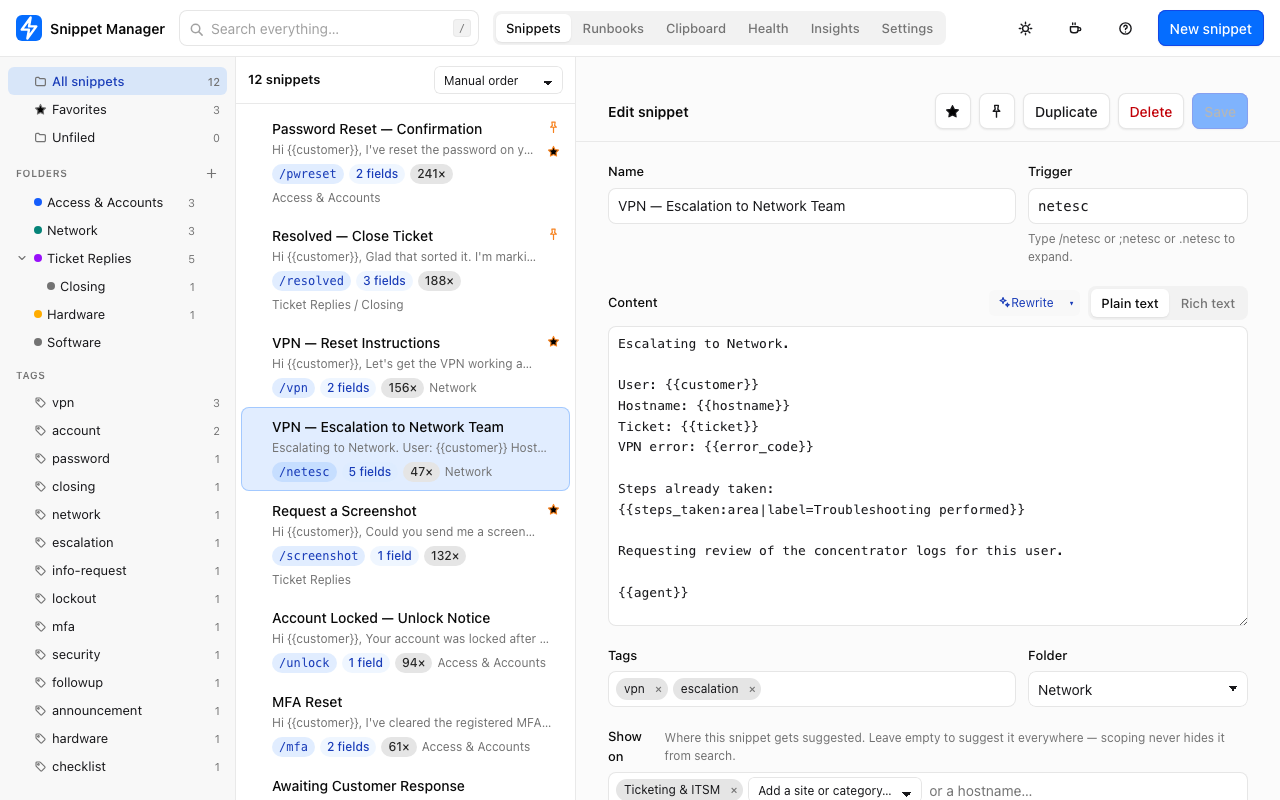
Write {{customer}} and inserting it opens a small
form with a live preview — instead of pasting half-finished
text you then go back and fix.
Snippet Manager types them for you — and writes up the troubleshooting while you do it.
Chrome, Edge, Firefox and Safari. No account. Nothing leaves your browser.
Every ticket has both, and reconstructing the second one from memory is the annoying part. So don’t.
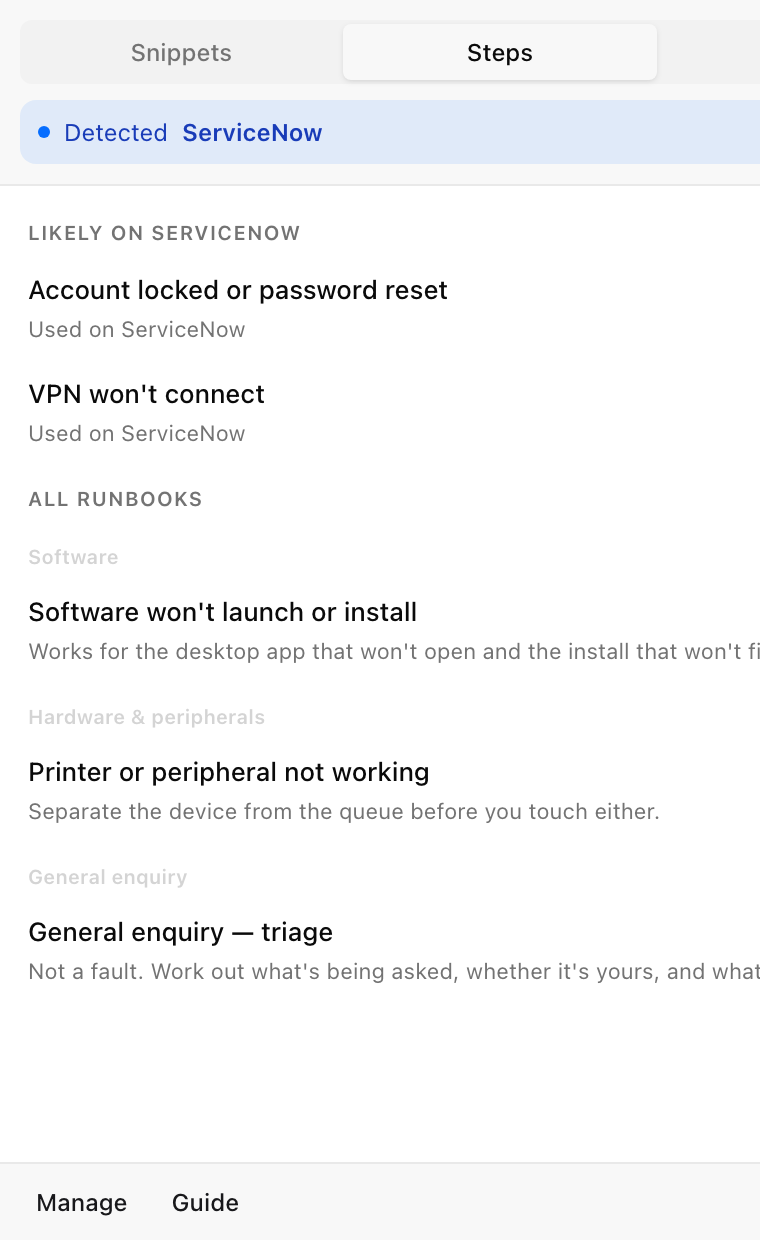
Open the side panel, pick the fault, and work down the checklist. Type a short note against anything you find. A step can ask a question rather than just be ticked — and the answer goes into the write-up, which a plain checkbox throws away.
Then reply as normal. Any snippet containing
{{steps_taken}} arrives with your ticked steps already
written out, editable before it goes.
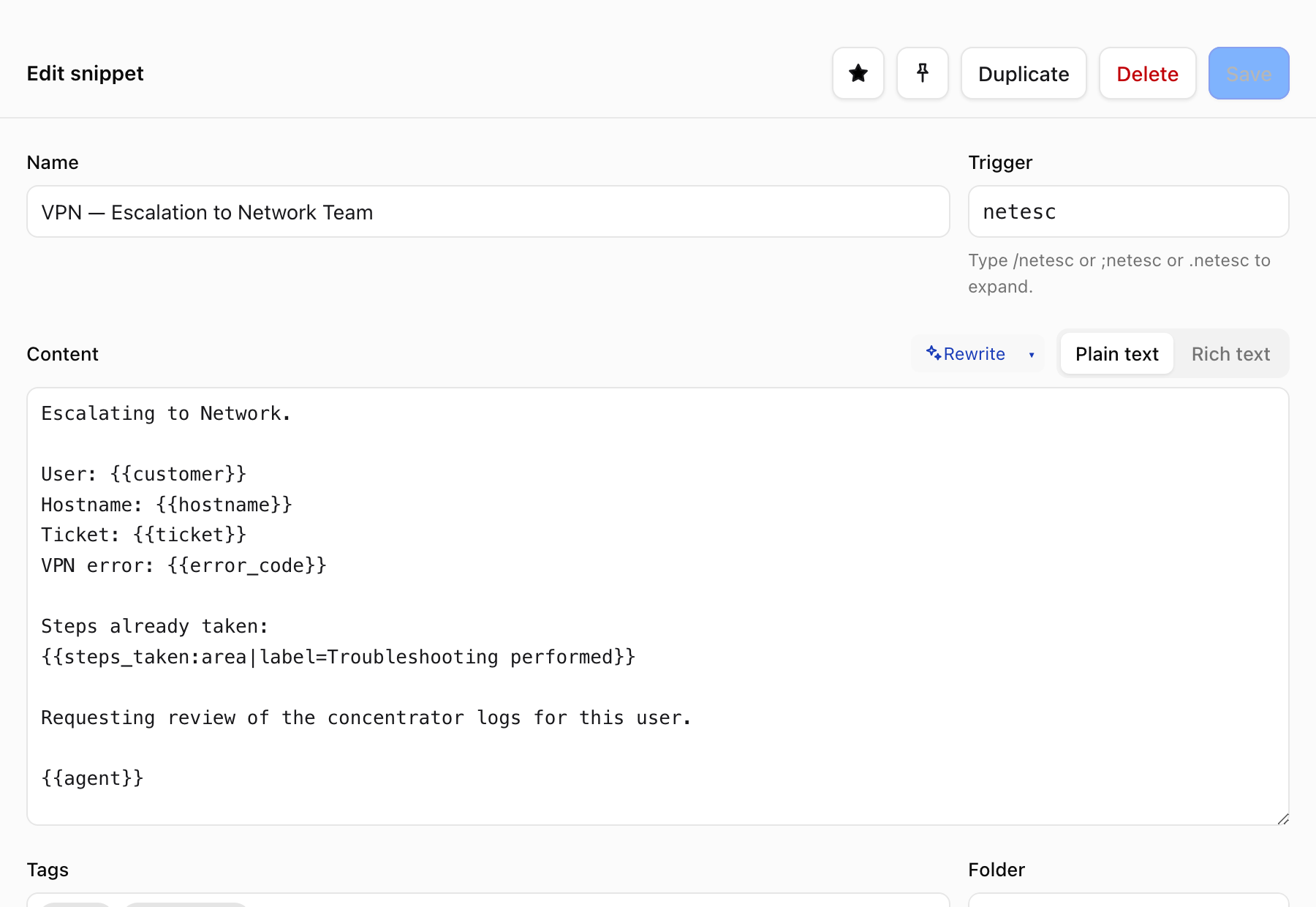
{{steps_taken}} is what your
ticked runbook steps fill in.
These are the things that actually cost you time.
Write {{customer}} and inserting it opens a small
form with a live preview — instead of pasting half-finished
text you then go back and fix.
Tick the checks as you work them. The steps and what you found arrive already written up in your reply.
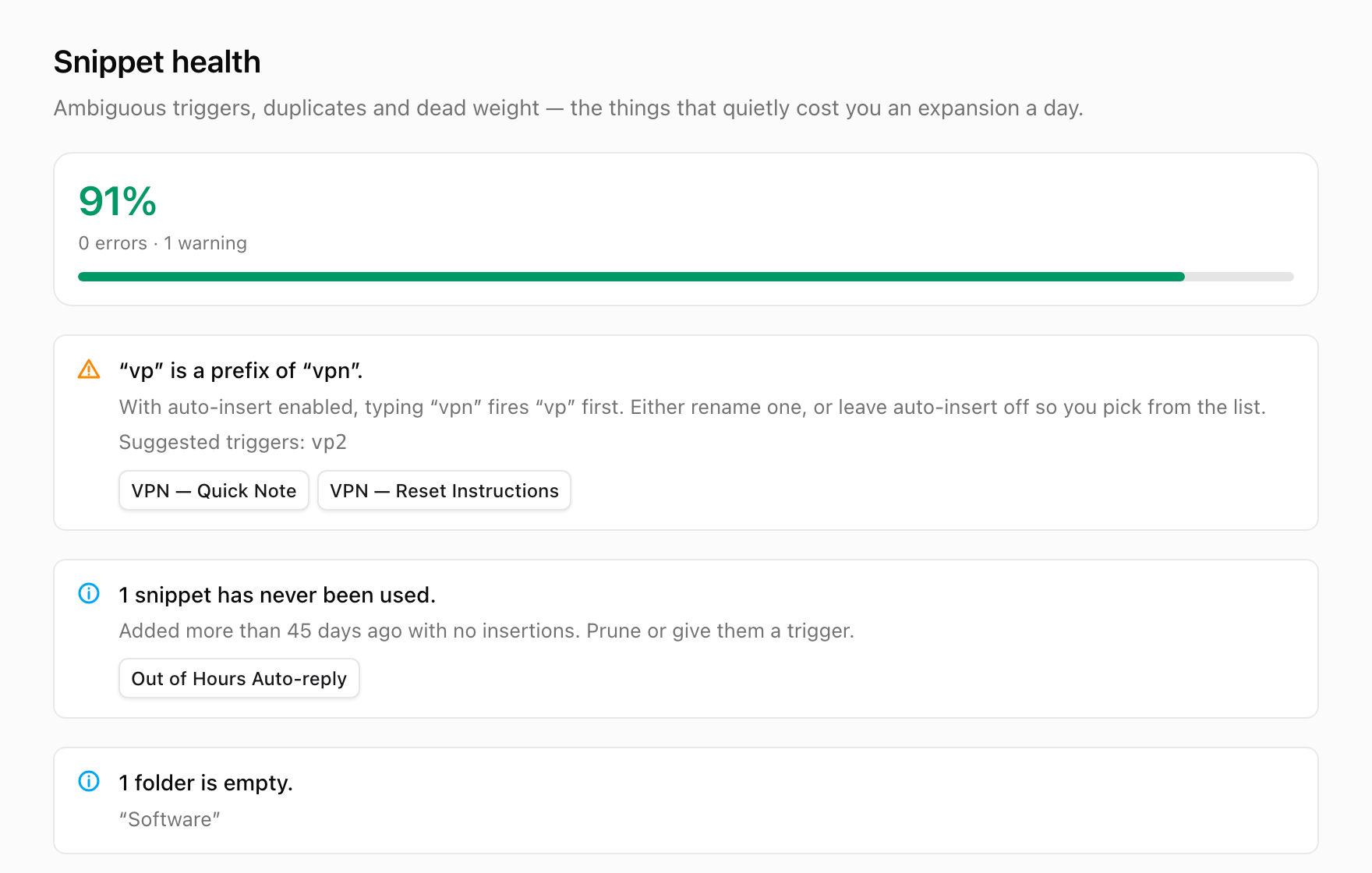
If /v shadows /vpn, your longer
snippet quietly becomes unreachable. Most expanders let that
happen. This one names it.
Turn shorthand into a sentence a customer can read, using the model built into your browser. No API key, no upload.
Ticket templates lead in your ticketing system, sign-offs lead in your mail client. It learns the rest from what you reach for.
Export your runbooks as a file, drop it on a shared drive. Send an update later and it updates what they already have.
Not “we don’t sell your data”. There is no server to send it to, and no code that could.
Shadowed triggers, snippets nothing can reach, runbooks that stopped matching reality — the failures that never announce themselves.
Free, with no paid tier and nothing to sign up for.
Ten example snippets and five runbooks are included, so it does something useful the moment it’s installed.